Introduction to Microsoft Business Central Magento Integration
Microsoft Business Central and Magento are two powerful applications that serve distinct yet complementary purposes for businesses today. Microsoft Business Central is an enterprise resource planning (ERP) solution that allows organizations to manage various business processes, including finance, operations, supply chain, and customer service in one unified platform. Conversely, Magento is a widely-used eCommerce platform that provides businesses with the tools to create, manage, and optimize their online stores. Together, these platforms represent a comprehensive approach to modern business management.
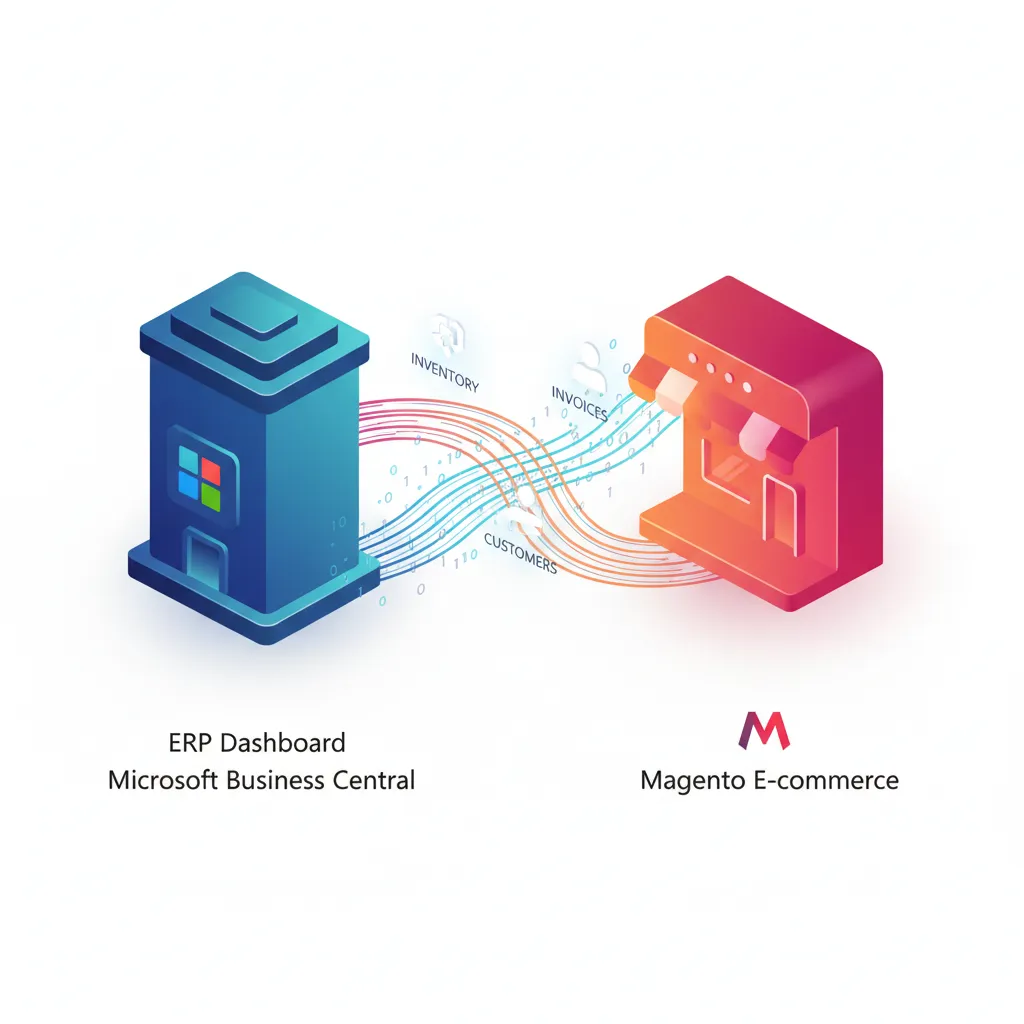
Integrating Microsoft Business Central with Magento unlocks significant benefits that can enhance overall operational efficiency. One of the primary advantages of this integration is improved inventory management. By synchronizing data across both platforms, businesses can maintain accurate stock levels, reduce the likelihood of overselling, and ensure timely replenishment of products. Additionally, this integration allows for seamless order processing; when an order is placed on Magento, the details are automatically reflected in Business Central, thereby minimizing manual input and potential errors.
Moreover, effective integration significantly enhances customer relationship management. When customer data is shared between these platforms, businesses are better equipped to personalize marketing strategies, manage customer interactions, and focus on retention efforts. This ultimately leads to improved customer satisfaction and loyalty.
The overarching objective of integrating Microsoft Business Central with Magento is to streamline business processes, enhance visibility, and offer an optimized customer experience across all channels. As we delve into the technical aspects in the subsequent sections, businesses can anticipate a clearer understanding of how to seamlessly implement this integration, unlocking the full potential of their eCommerce operations.
Key Features of Microsoft Business Central Magento Integration
The integration of Microsoft Business Central with Magento offers a wealth of features that significantly enhance operational efficiency for businesses engaged in e-commerce. One of the paramount features is the seamless upload of products, categories, prices, and stock levels from Business Central to Magento. This capability ensures that product information remains consistent across both platforms, thereby eliminating discrepancies that can lead to customer dissatisfaction.
When uploading products, businesses can utilize Business Central’s inventory management features, allowing them to automate and streamline the product data transfer to Magento. Categories can be structured in alignment with current marketing strategies, making it easier for customers to navigate a business’s offerings. Furthermore, live stock level updates from Business Central mean that merchants can prevent overselling by ensuring their customers see only what is available.
Another distinctive feature of this integration is customer data synchronization. Maintaining accurate customer information across both systems not only enhances the user experience but also supports better marketing initiatives. Any changes made in Business Central regarding customer data are automatically reflected in Magento, allowing for personalized marketing and communication.
The management of shipments and invoices is also significantly improved through this integration. Shipments processed in Magento can be synced back to Business Central, maintaining a cohesive logistics process. Likewise, invoices generated in Business Central can be directly correlated with the respective orders in Magento, reducing time spent on manual entries and potential errors.
Finally, the capability to download orders from Magento back into Business Central is crucial for maintaining comprehensive records and streamlining order fulfillment processes. This integration not only allows for effective order tracking but also ensures that financial records are always up to date, which is essential for achieving operational transparency.
Step-by-Step Guide to Implementing the Integration
Integrating Microsoft Business Central with Magento can significantly streamline operations, enhance product management, and improve customer satisfaction. This step-by-step guide aims to simplify the process. To begin, ensure you have the compatible versions of Microsoft Business Central and Magento. Confirm that your Business Central version supports the integration features you intend to use, as older versions may lack essential functionalities.
Next, configure the API settings in both platforms. In Microsoft Business Central, you will need to enable API access. To do this, navigate to the Web Services section and publish the appropriate pages and queries. Make note of the service URLs and credential settings, as these will be essential for Magento to communicate with Business Central.
Once the API settings are configured, proceed to your Magento instance. Install any necessary extensions designed for integrating with Business Central if they are not already in place. Each extension may have specific settings requiring fine-tuning to align with your Business Central APIs. It is essential to follow the extension documentation closely to tailor the integration to your needs.
With both systems prepared, the next step is to establish the connection between Microsoft Business Central and Magento. This generally involves inputting the API credentials from Business Central into your Magento settings, along with any other relevant connection details such as API endpoints.
As you implement the integration, closely monitor the synchronization process for any discrepancies in product data, customer information, or inventory levels. Common issues may arise, including authorization errors or data mismatches. Should you encounter such problems, consult the error logs within both applications to identify potential causes and resolutions.
By following these outlined steps, users should find the integration process to be manageable, even with minimal technical knowledge. Correctly configuring both platforms is key to ensuring a successful synchronization and ultimately enhancing your e-commerce operations.
Best Practices and Conclusion
As we conclude our discussion on the integration of Microsoft Business Central with Magento, it is essential to highlight several best practices that will facilitate a successful and sustainable integration. First and foremost, conducting regular data audits is crucial. This practice not only helps to maintain data integrity but also ensures that any discrepancies between the two platforms are identified and addressed promptly. Regular checks enable businesses to align their product listings, stock levels, and pricing across both platforms, ensuring consistency for end users.
Updating both software applications regularly is another vital step. Each system receives periodic updates that enhance functionality, security, and compatibility. Keeping Microsoft Business Central and Magento up to date reduces the risk of encountering operational issues stemming from deprecated features, which could negatively impact the integration. Therefore, a robust update schedule should be a priority.
Moreover, it is essential to configure the integration in a way that allows for scalability. As businesses grow and evolve, their integration needs may change. Ensuring that the integration can accommodate increased data volume and additional features will help maintain efficiency. Planning for scalability can involve setting up a modular architecture that supports future integrations and expansions without significant downtime or costs. This foresight will ultimately contribute to improved operational workflows and customer satisfaction.
In summary, achieving a seamless integration between Microsoft Business Central and Magento requires a combination of diligent monitoring, timely updates, and strategic planning for business growth. By adhering to these best practices, businesses can ensure that their integration not only functions effectively but also evolves alongside their operational needs, driving sustained improvements and efficiencies.