
Choose the right Shopify integration for Microsoft Dynamics 365 Business Central.
New Wiz Tech implements and supports Microsoft’s included Shopify connector for standard requirements, or deploys our own connector when your business needs deeper customization. The $1,499 annual package covers one Business Central company and up to three Shopify stores.
Managing Business Central and Shopify separately can be challenging, leading to reduced productivity, higher operational costs, and increased human resource demands.
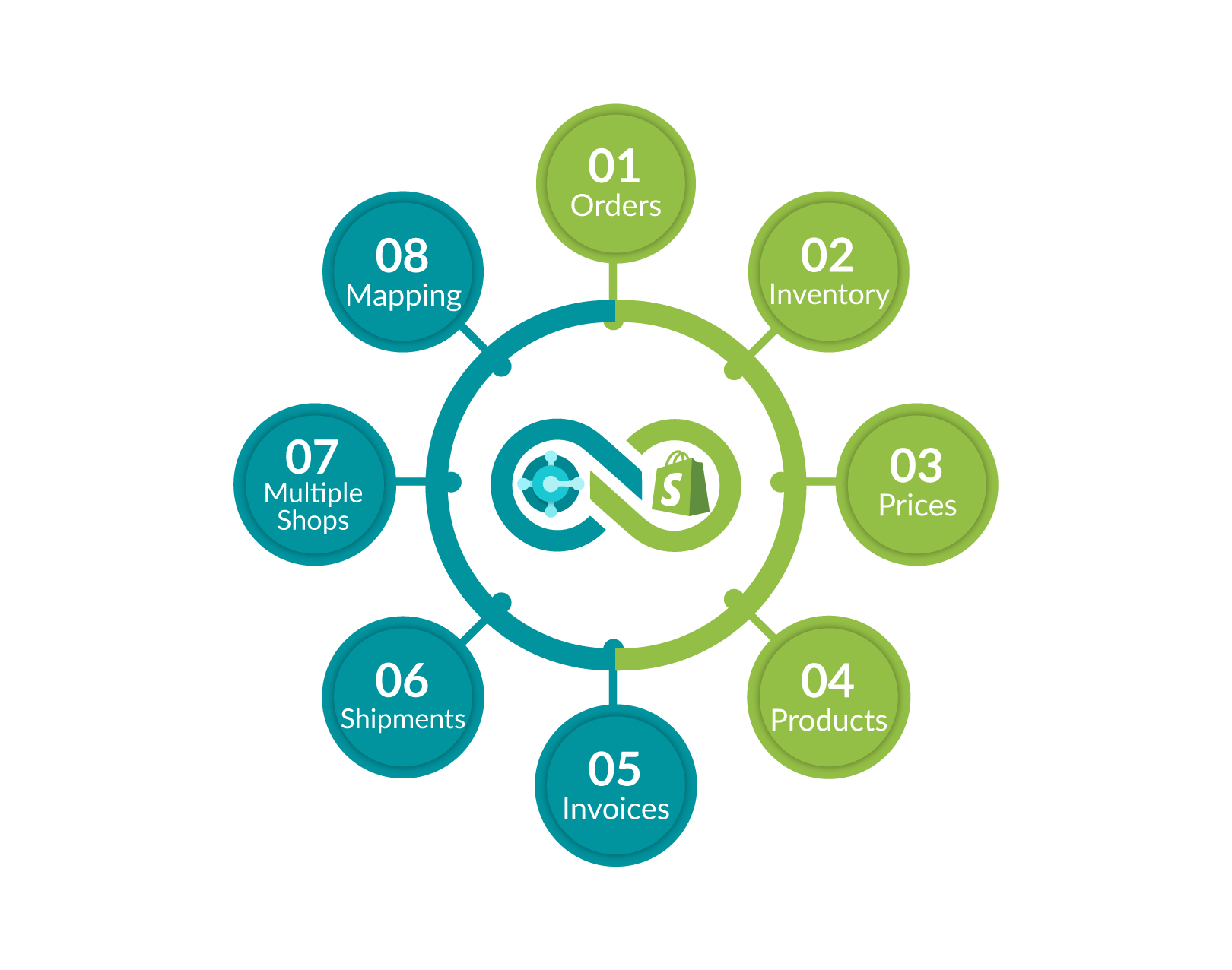
To streamline this process, we offer premium solutions to automate your Business Central and Shopify integration. Here are the key features of our Business Central Shopify connector.
Streamline your order management with the Business Central Shopify Synchronizer. Import orders from Shopify into Business Central and seamlessly upload new orders from Business Central back to Shopify
Efficiently manage inventory across multiple locations with the Microsoft Dynamics 365 BC and Shopify Inventory Integration. Sync inventory from Business Central to Shopify for one or several locations.
Easily synchronize standard customer prices and discounts between BC and Shopify. Our integration solution provides real-time pricing accuracy, ensuring your customers have the correct information while maximizing sales.
Effortlessly manage your product catalog like never before. Transfer products and categories between BC and Shopify with ease. Benefit from real-time updates and precise synchronization, streamlining your product management process.
Our all-inclusive integration solution allows you to upload all order invoices from Microsoft Dynamics 365 Business Central (BC) to Shopify, ensuring your customers receive accurate and timely invoices.
Your shipments are now seamlessly integrated with BC and Shopify. Upload shipments from BC to Shopify to provide customers with real-time tracking information. This enhances the customer experience and simplifies your shipping process.
Connect one Business Central company with up to three Shopify stores in the standard $1,499 annual package. Additional stores may require an extra subscription.
The Business Central to Shopify integration offers the flexibility to map locations, shipping methods, payment methods, customer details, item information, and discount configurations.
Microsoft Dynamics 365 Business Central is a widely used ERP solution for small and medium enterprises, while Shopify stands out as the leading eCommerce platform for similar businesses. Managing both Business Central and shopify separately can lead to challenges in your operations, such as difficulties in inventory management, complications with order processing, inaccuracies in financial reporting, and a lack of centralized customer and pricing information. To address these issues, it’s essential to integrate Business Central with Shopify.

New Wiz Tech implements, configures and supports Shopify integration for Microsoft Dynamics 365 Business Central. Choose Microsoft’s included Shopify connector for standard requirements, or the New Wiz Tech connector when your processes require deeper customization and fewer architectural constraints.
Best for standard Shopify and Business Central workflows.
We implement Microsoft’s included connector, configure mappings, customize supported processes, test the integration and provide ongoing support.
Best for unique or advanced requirements.
We recommend and deploy our own connector when a business needs highly customized data flows, validations, mappings, automation or operational rules.
One annual package: $1,499/year covers implementation and support for one Business Central company and up to three Shopify stores. Additional stores may require an extra subscription.
| Data | Typical direction |
|---|---|
| Products, variants and collections | Business Central → Shopify |
| Standard prices, discounts and B2B pricing | Business Central → Shopify |
| Inventory by configured location | Business Central → Shopify |
| Orders and customers | Shopify → Business Central |
| Shipments, tracking and invoices | Business Central → Shopify |
| Selected custom workflows | Configured during discovery |
Both approaches support B2C and B2B scenarios. Available B2B capabilities depend on the customer’s Shopify subscription and confirmed requirements.
Teams that want Microsoft’s connector configured, tested, customized where supported and professionally maintained.
Companies requiring custom mappings, validations, workflows, store logic or automation beyond the standard connector.
One Business Central company connecting with up to three Shopify stores in the standard annual package.
Businesses managing retail or business customer experiences, pricing and synchronized operational data.
Four controlled stages take your Shopify stores from disconnected systems to tested, supported synchronization.
Connect Shopify stores and the Business Central company using approved authentication and connector services.
Configure locations, products, variants, customers, prices, discounts, shipping, payments and store-specific rules.
Validate products, inventory, customers, pricing, orders, shipments and invoices end to end.
Activate approved flows, monitor synchronization and provide ongoing support for the implemented solution.
Straight answers about connector choice, pricing, store coverage, B2B support and implementation.
New Wiz Tech can implement and support Microsoft’s included Shopify connector for standard requirements, or deploy the New Wiz Tech connector when deeper customization, unique workflows or fewer technical limitations are required.
Microsoft includes its connector with eligible Business Central environments. The $1,499 annual New Wiz Tech package covers professional implementation, configuration, testing, customization where supported and ongoing support—not a separate Microsoft connector licence.
Choose it when your business needs custom mappings, validations, pricing logic, automation, store-specific rules or workflows that go beyond the standard Microsoft connector.
The standard annual package includes implementation and ongoing support for one Business Central company connected with up to three Shopify stores.
Yes. Additional stores can be assessed and connected, but an extra subscription may apply based on scope and support requirements.
Yes, both connector approaches support B2C and B2B scenarios. Available B2B capabilities depend on the customer’s Shopify subscription and confirmed business requirements.
Typical flows cover products and variants, inventory by location, prices and discounts, customers, orders, payments, shipments, tracking and invoices. Final directions and fields are confirmed during discovery.
Yes. Approved flows can run automatically on an agreed schedule or near real time where the selected connector, Shopify APIs and Business Central environment support it.
Yes. New mappings, rules and workflows can be added through a controlled change process. The New Wiz Tech connector is recommended when extensive or ongoing customization is expected.
We connect the systems, map and configure data, validate all agreed flows in a test environment, then go live with monitoring and ongoing support.