API vs Connector for Business Central Integration: How to Choose the Right ERP Integration Strategy
-
What Is Business Central Integration?
2.1 What Is Microsoft Dynamics 365 Business Central?
2.2 What Does Integration Mean in an ERP Context?
2.3 Systems Commonly Integrated with Business Central
2.4 Core Goals of Business Central Integration -
What Is a Business Central API Integration?
-
What Is a Business Central Connector?
-
API vs Connector: Core Differences Explained
5.1 Business Central API Integration
5.2 Business Central Connector
5.3 Key Differences: Setup, Customization, Cost, Performance, and Scalability -
When Should You Choose Business Central API Integration?
-
When Should You Use a Business Central Connector?
-
Security Considerations: API vs Connector
-
Cost Breakdown: API vs Connector
-
Performance & Scalability Analysis
-
Real-World Example: eCommerce Integration Scenario
11.1 Scenario A: Using a Business Central Connector
11.2 Scenario B: Using Business Central API Integration -
Common Mistakes Businesses Make
-
Frequently Asked Questions (FAQs)
-
Final Thoughts: Choosing the Right Business Central Integration Method
Today’s businesses operate across multiple systems, and Business Central integration has become a necessity rather than a technical upgrade. Companies need Microsoft Dynamics 365 Business Central to connect seamlessly with eCommerce platforms, CRM tools, payment gateways, and warehouse systems to maintain operational efficiency and data accuracy.
When organizations plan ERP integration with Business Central, they usually face two options, building a Business Central API integration or deploying a Business Central connector. While both approaches enable system connectivity and choosing the wrong one can lead to higher costs. In this article we are going to explain the difference between API vs connector for Business Central so you can make the right integration decision based on complexity, budget, performance needs, and long-term growth strategy.
What Is Business Central Integration?
Business Central integration refers to the automated exchange of data between Microsoft Dynamics 365 Business Central and other business systems. Instead of manual data entry, integration ensures that information flows automatically and consistently across platforms.
What Is Microsoft Dynamics 365 Business Central?
Microsoft Dynamics 365 Business Central is a cloud-based ERP solution used to manage accounting, inventory, purchasing, sales, and financial reporting. Available as a SaaS solution on Azure and deployable in hybrid or on-premise environments, it acts as the system of record for core business operations.
What Does Integration Mean in an ERP Context?
In an ERP context, integration means synchronizing operational and financial data across systems using APIs, middleware, and secure authentication. A successful Microsoft Dynamics 365 Business Central integration ensures data consistency, reduces errors, and improves decision-making.
Systems Commonly Integrated
- eCommerce platforms such as Magento and Shopify
- CRM systems
- Payment gateways
- Warehouse and logistics software
Core Integration Goals
Most Business Central eCommerce integration projects focus on:
- Order synchronization
- Inventory updates
- Customer record management
- Financial posting to the general ledger
From a technical perspective, Business Central integration architecture relies on REST API endpoints, OData services, OAuth 2.0 authentication, data mapping rules, and sometimes middleware to manage data flow.
What Is a Business Central API Integration?
A Business Central API integration is a custom-built solution that connects external systems directly to Business Central using the Business Central REST API or Business Central OData API. This approach allows developers to design integrations tailored precisely to business workflows.
With a custom Business Central integration, systems communicate directly using JSON payloads over secure REST API endpoints. OAuth 2.0 is used for authentication, ensuring secure access control. Because APIs allow real-time synchronization, this method supports real-time data sync Business Central for orders, inventory, and financial data.
Example:
An eCommerce platform sends an order as a JSON request via the Dynamics 365 Business Central API → A sales order is created automatically → Inventory is updated in real time → Financial entries are posted. This approach provides full control but requires development expertise and ongoing maintenance.
What Is a Business Central Connector?
A Business Central connector is a pre-built integration tool designed to connect Business Central with other systems quickly. These connectors are usually developed by vendors and offered as a most connectors are plug-and-play solutions that rely on predefined data mapping and workflows. Many use Business Central middleware integration, where middleware acts as a bridge between systems. The benefits of Business Central connector solutions include faster setup, lower initial costs, and reduced technical complexity. However, connectors typically offer limited flexibility compared to API-based solutions and may rely on batch processing instead of real-time synchronization.
API vs Connector: Core Differences Explained
Here is the core difference between both of the integrations clearly described:

Business Central API Integration
A Business Central API integration is fully customizable and designed for complex workflows. It enables real-time synchronization, supports high data volumes, and adapts easily to enterprise requirements. APIs require development effort but offer long-term scalability and performance.
Business Central Connector
A Business Central connector is standardized and optimized for common use cases. It reduces implementation time and cost but limits customization. Connectors are ideal for simpler integrations with predictable workflows.
Key Differences Explained
- Setup Time: Connectors offer faster deployment because most functionality is pre-built. API integrations take longer due to development and testing requirements.
- Customization: API integrations provide unlimited flexibility. Connectors are limited to the features supported by the vendor.
- Cost: Connectors typically have lower upfront costs and operate on subscription pricing. APIs require higher initial investment but lower recurring fees.
- Performance: APIs perform better for real-time, high-volume systems. Connectors may rely on batch processing, which can cause delays.
- Scalability: API integrations scale efficiently for enterprise environments, while connectors may struggle with complex workflows.
API vs connector for Business Central depends on business complexity, long-term growth plans, and technical capabilities.
When Should You Choose Business Central API Integration?
You should choose Business Central API integration when your business requires advanced customization and scalability. This approach is ideal for complex B2B pricing models, multi-warehouse inventory structures, custom workflows, advanced analytics, and enterprise-level ERP integration with Business Central. Organizations asking when to use Business Central API typically plan for growth and need full control over integration logic.
You should choose a Business Central API integration if your business requires:
- Complex B2B pricing logic that cannot be handled by standard connectors
- Multi-warehouse inventory management with real-time availability
- Custom workflows aligned with internal business processes
- Advanced reporting and analytics requirements
- Enterprise-level ERP integration with Business Central
- Full control over integration logic using the Business Central REST API
- Real-time data synchronization between systems
- A scalable solution designed to support long-term growth
Organizations evaluating when to use Business Central API typically understand that this approach requires experienced developers and ongoing maintenance.
When Should You Use a Business Central Connector?
A Business Central connector works best for small to mid-sized businesses with standard workflows and limited budgets. It is ideal when faster deployment is required and customization needs are minimal. Using a third-party Business Central connector simplifies setup and reduces technical overhead through middleware integration.
You should use a Business Central connector if your business has:
- Standard eCommerce or ERP workflows with minimal customization
- A limited integration budget and preference for predictable subscription costs
- A requirement for fast deployment and quick go-live timelines
- Limited internal technical resources for ongoing development
- A need to simplify integration through third-party middleware
Limitations to Consider
- Dependency on the connector vendor for updates, fixes, and support
- Potential compatibility issues during Business Central version upgrades
Security Considerations: API vs Connector
- OAuth 2.0 authentication: APIs allow granular access control, while connectors depend on vendor security models.
- API token management: Custom APIs provide full control over token lifecycle.
- SSL encryption: Both approaches secure data in transit.
- Data exposure risks: APIs limit exposed endpoints; connectors expose predefined datasets.
- Role-based access: APIs support stricter role enforcement.
Custom APIs offer greater control, while connectors rely on vendor-managed security infrastructure.
Cost Breakdown: API vs Connector
Connector Costs
- Setup: $500–$8,000
- Monthly fees: $50–$500
API Integration Costs
- Development: $1,000–$10,000+
- Annual maintenance costs apply
From a long-term ROI perspective, custom ERP integration with Business Central often becomes more cost-effective as business complexity increases.
Performance & Scalability Analysis
- Real-time synchronization: APIs ensure immediate data updates.
- Batch sync: Connectors may delay updates.
- Large catalog handling: APIs process large datasets efficiently.
- Order volume capacity: APIs handle higher transaction volumes.
- Cloud vs on-premise: APIs adapt better to SaaS, Azure, and hybrid deployments.
The Dynamics 365 Business Central API delivers clear performance benefits at scale.
Real-World Example: eCommerce Integration Scenario
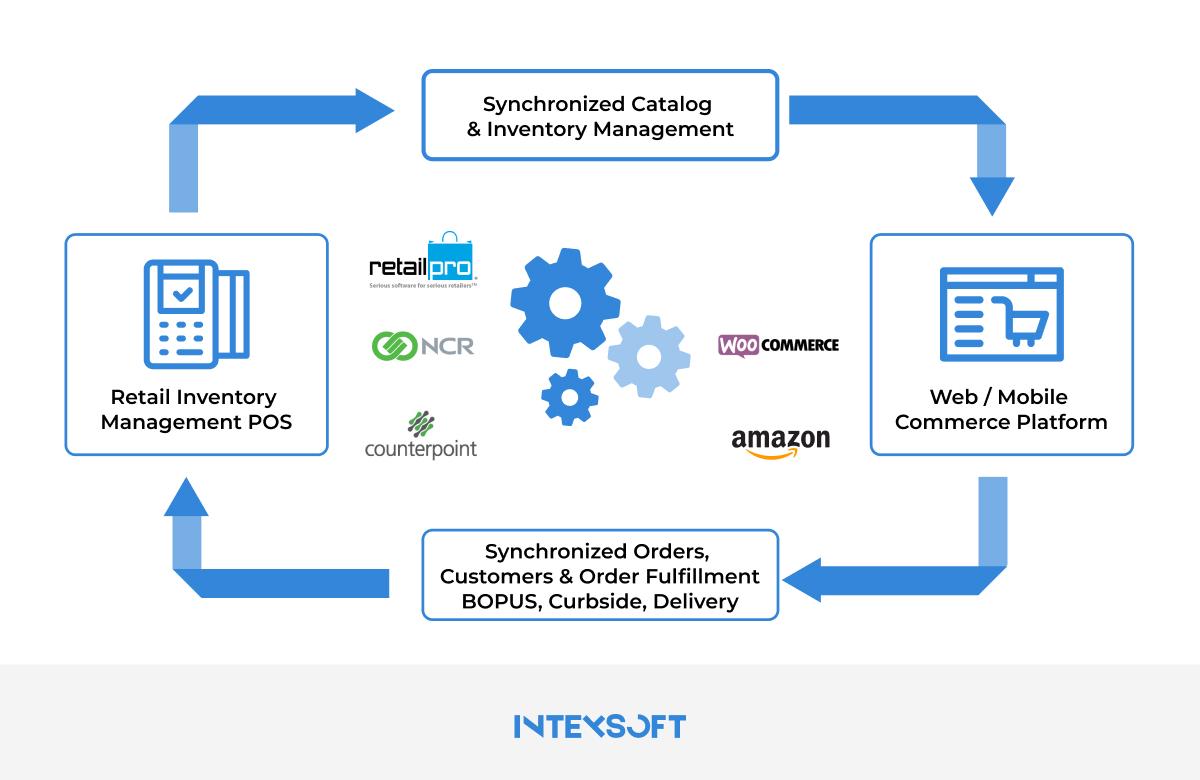
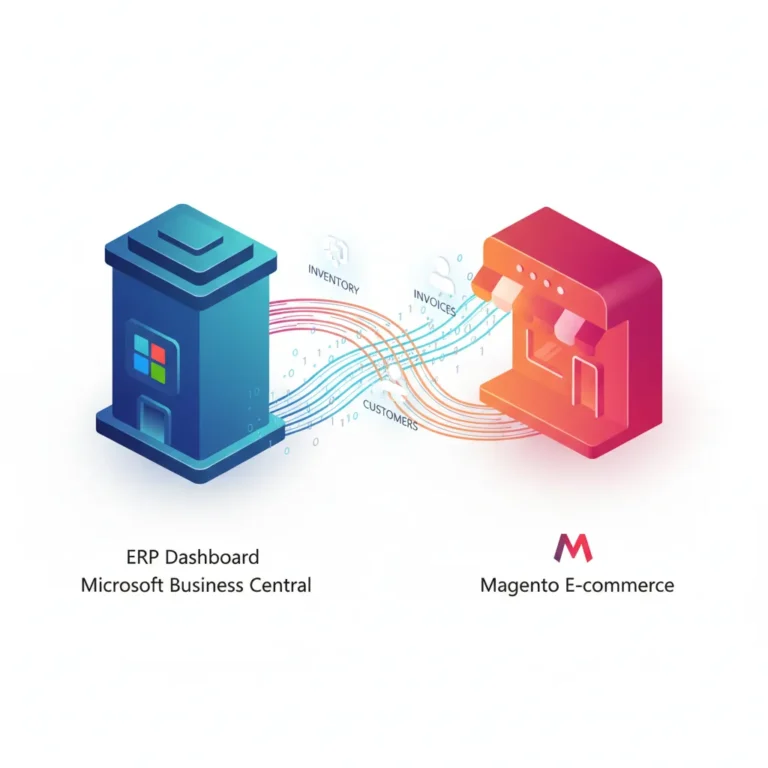
To better understand the difference between integration approaches, consider an online store running on Magento that needs to synchronize orders, inventory, and pricing with Microsoft Dynamics 365 Business Central. The business evaluates two options: using a pre-built connector or implementing a custom API-based integration. Each approach delivers different results depending on complexity, scalability, and control requirements.
Scenario A: Using a Business Central Connector
- Quick setup with minimal configuration effort
- Standard order and inventory synchronization supported
- Limited ability to handle custom B2B pricing or advanced workflows
Outcome:
- Faster go-live and lower initial cost
- Suitable for simple business models
- Constraints appear as pricing rules and inventory logic become more complex
Scenario B: Using Business Central API Integration
- Custom integration built using REST APIs for direct system communication
- Real-time inventory updates and tailored B2B pricing logic
- Full control over data mapping and business workflows
Outcome:
- Higher upfront development effort
- Scalable solution that supports complex pricing and multi-warehouse inventory
- Better long-term performance and flexibility as the business grows
Common Mistakes Businesses Make
- Choosing a connector for complex enterprise requirements limits scalability.
- Ignoring long-term growth leads to costly re-implementation.
- Poor data mapping causes duplicates and inconsistencies.
- Skipping upgrade planning breaks integrations.
- Avoiding staging tests increases production risk.
Frequently Asked Questions
Is Business Central API free to use?
Yes, APIs are included, but development and maintenance costs apply.
Does Microsoft provide a native Business Central connector?
Microsoft provides APIs; most connectors are third-party solutions.
Can I switch from connector to API later?
Yes, many businesses migrate as requirements grow.
Which is more secure: API or connector?
Both are secure when implemented correctly; APIs offer more control.
How long does Business Central integration take?
Connectors take weeks; APIs may take several months.
Is API better for large eCommerce stores?
Yes, APIs perform better for high-volume and complex environments.
Final Thoughts
Choosing between a Business Central API integration and a connector depends on your current needs and future roadmap. If your workflows are simple and speed matters most, a connector can deliver quick value. However, if your business is growing, requires customization, or operates at scale, API integration is the stronger long-term investment. APIs provide flexibility, performance, and scalability, while connectors offer simplicity and faster deployment. To explore the best integration approach for your business, contact us or visit our page to get expert guidance. Ultimately, choosing the right Business Central integration method depends on long-term business goals, not just immediate convenience.
Read More:
Business Central 27.3 Bug: Item Lookup Not Working After Upgrade (Known Issue & Workarounds)