
How to Choose the Right Business Central Implementation Partner for Your Company
A Business Central implementation partner is a certified Microsoft Dynamics professional who guides your company through the deployment, configuration, and optimization of Microsoft Business Central ERP software. The right partner reduces implementation time by 30-40%, minimizes costly errors, and ensures your system aligns with actual business operations from day one. Look for Microsoft Solutions Partner status, proven implementation experience in your industry, and transparent pricing models.
Introduction
Selecting a Business Central implementation partner represents one of the most critical decisions your organization will make during ERP adoption. This choice affects not only the technical success of your deployment but also your team’s ability to extract genuine business value from the system.
Most companies discover too late that the cheapest quote doesn’t equal the best outcome. We’ve worked with dozens of organizations that selected implementation consultants based purely on cost, only to face 6-month delays, incomplete customizations, and staff who resist using the system because training was inadequate.
This guide walks you through everything you need to know about finding, evaluating, and partnering with a Business Central implementation partner who will deliver measurable results. We’ll cover certification requirements, industry experience, red flags, and the questions you should ask before signing any contract.
What Makes a Qualified Business Central Implementation Partner
Understanding Microsoft Certification Levels
Not all partners claiming ERP expertise hold the same credentials. Microsoft’s certification structure tells you exactly what level of training and competency you’re getting.
Microsoft Solutions Partner is the highest current designation. These partners have passed rigorous examinations, maintained active certifications, and demonstrate measurable customer success. When you work with a Microsoft Solutions Partner, you’re getting someone Microsoft itself has vetted and approved. You can verify partner credentials directly through the official Microsoft Partner Directory where all certified partners are listed by geography and specialization.
Below this level, you’ll find partners with specific module certifications, such as Finance and Operations expertise or Supply Chain Management specialization. These indicate competency in specific areas rather than comprehensive implementation capability.
The critical distinction: a certified Microsoft Dynamics partner has invested significantly in staying current with platform updates. Business Central receives regular feature releases and best practice refinements. Your implementation consultant needs to know these developments or you’ll end up with outdated configurations.
Look at certification dates on any partner’s credentials. If certifications are 2+ years old without recent renewals, you’re likely working with someone not keeping pace with the platform’s evolution.
Industry Specialization Matters More Than You Think
A Business Central reseller with strong healthcare experience differs fundamentally from one focused on manufacturing. Your industry’s specific workflows, compliance requirements, and reporting needs directly shape implementation success. Understanding your industry’s specific requirements is crucial—detailed guidance on how different industries use Business Central is covered in our comprehensive Business Central Services Guide, which outlines industry-specific best practices.
For manufacturing companies, you need someone who understands job costing, work orders, and production scheduling deeply. They should anticipate bottlenecks in your bill of materials management and production control processes.
Service-based organizations require consultants who excel at project accounting, resource scheduling, and subscription revenue management. A partner who designed their previous implementations around product sales won’t optimize your system for service delivery.
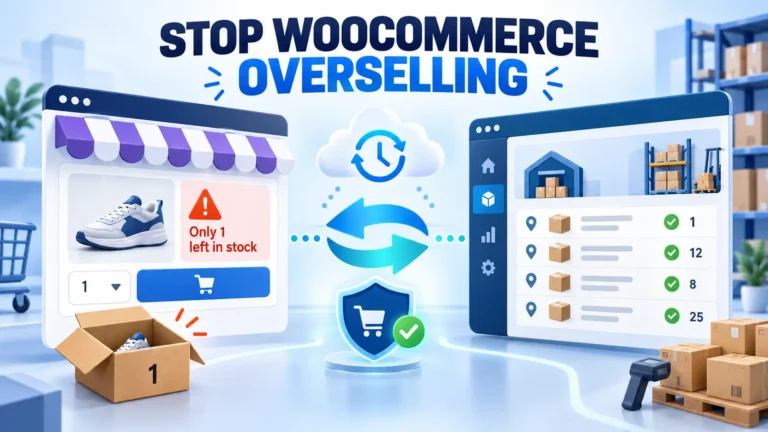
Healthcare implementations demand expertise in cost allocation, grant accounting, and compliance documentation. Retail clients need omnichannel inventory management and point-of-sale integration specialists.
When evaluating an ERP implementation consultant, ask specifically about their three most recent implementations in your industry vertical. Request references from comparable-sized companies with similar complexity. Generic “we’ve implemented Business Central 47 times” answers suggest they lack deep industry knowledge.
Key Factors in Choosing a Business Central Implementation Partner
Proven Implementation Methodology
Competent implementation partners follow a structured, repeatable process rather than ad-hoc approaches. This methodology becomes your project roadmap.
The best processes include:
Discovery and Assessment Phase (Weeks 1-3): The partner performs a thorough review of your current systems, identifies all business processes requiring changes, and documents stakeholder requirements. They should produce a detailed gap analysis showing where Business Central’s standard functionality addresses your needs and where custom development becomes necessary.
Design and Planning (Weeks 4-6): Your future state is designed, change management strategies are developed, and realistic timelines are established. This phase separates competent partners from amateur ones. If your partner skips this step, you’re heading toward scope creep, missed deadlines, and frustrated teams.
Configuration and Development (Weeks 7-14): Standard configurations are applied, custom requirements are developed, and data migration strategies are prepared. Experienced partners have built reusable components for common implementations, accelerating this phase significantly.
Testing and Optimization (Weeks 15-17): The system undergoes rigorous testing across all business areas. User acceptance testing ensures configurations match actual workflows, not theoretical ones.
Training and Cutover (Weeks 18-20): Staff receives hands-on training, and you go live with continuous support for the first critical weeks.
This isn’t a one-size-fits-all timeline, but the structured sequence matters tremendously. Partners who compress phases or skip discovery end up causing much more expensive rework later.
Technical Capabilities and Development Expertise
Standard Business Central handles most common business scenarios effectively. But your organization likely has some unique requirements. The question isn’t whether you’ll need customization, but how much and whether your partner can deliver it.
A strong implementation partner possesses deep expertise in:
AL Language Development: Modern Business Central customizations use AL (a Microsoft-proprietary language). Your partner should have multiple developers proficient in AL, not just one person who happens to know it.
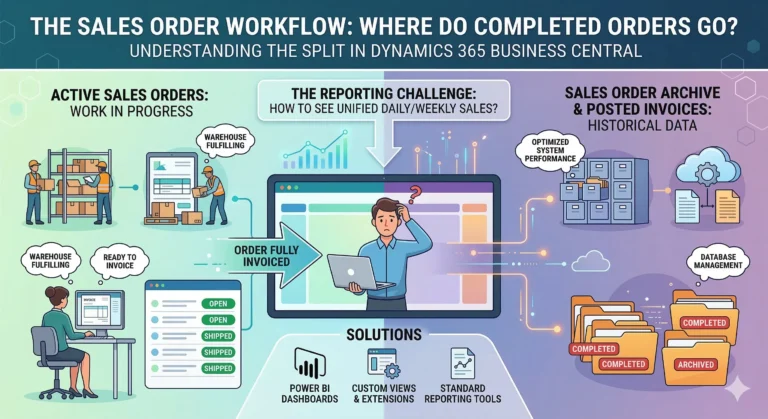
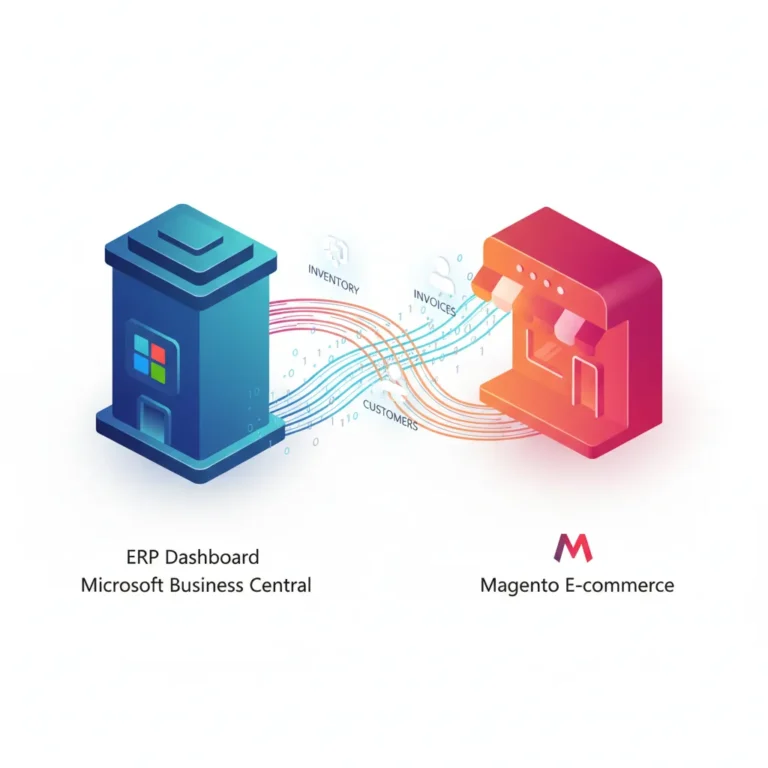
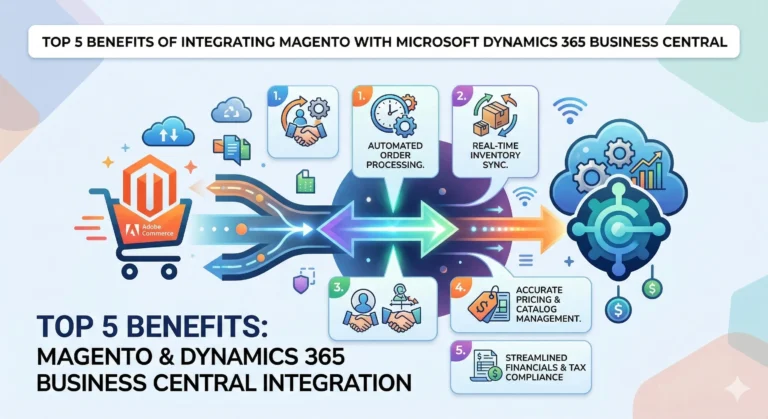
Dynamics 365 Integration: Most companies use multiple systems. Your partner should seamlessly integrate Business Central with Salesforce, Microsoft Teams, and advanced reporting tools like Power BI, along with third-party applications relevant to your operations. The ability to connect Business Central with your entire tech stack determines whether you get siloed data or unified business intelligence across all departments.
Data Migration: Getting your historical data into Business Central correctly is non-negotiable. Complex migrations require sophisticated scripting and validation. A partner who underestimates this phase causes months of problems post-launch.
Advanced Reporting: Standard Business Central reporting serves basic needs. Advanced partners build Power BI dashboards, create specialized reports for regulatory compliance, and establish real-time KPI monitoring.
Ask your potential partner about their development team size, average developer experience, and examples of custom solutions they’ve built. If they outsource all development or rely on a single developer, you’re taking unnecessary risk.
Red Flags That Indicate a Poor Fit
Unrealistic Timeline Promises
When a partner confidently guarantees completion in half the time your IT director estimates, they’re signaling either inexperience or dishonesty. Complex ERP implementations involve interdependencies, unforeseen system interactions, and organizational change management that simply cannot be rushed without consequence.
A certified Microsoft Dynamics partner understands this reality and builds realistic timelines with buffer for unexpected issues. They may deliver early, but they won’t promise the impossible.
Fixed-Price Contracts Without Detailed Scope
Some partners offer surprisingly low fixed prices for implementation. Inevitably, these arrangements devolve into disputes about scope. You discover “that’s not included” halfway through the project, forcing budget overruns or incomplete implementations.
Legitimate fixed-price contracts require exhaustive scope definition completed before work begins. If your partner wants to sign a fixed-price deal after a brief one-hour assessment, you’re about to experience significant friction.
Minimal Change Management Discussion
Technical implementation represents maybe 40% of ERP success. The remaining 60% involves getting people to adopt new processes. Partners who focus entirely on technical setup without addressing change management are setting up failure. This is why leading ERP implementation firms prioritize organizational readiness alongside technical deployment.
Strong partners build change management into every phase, allocate resources specifically for user adoption, and measure success against adoption metrics, not just technical milestones.
No Post-Go-Live Support Plan
The critical weeks immediately after launch make or break ERP implementations. When your team encounters problems in real business operations, they need immediate expert support.
Partners who hand off the system on go-live day and bill extra for any support afterward don’t prioritize your success. The best implementations include 30-90 days of intensive post-launch support included as standard.
Evaluating Certified Microsoft Dynamics Partners
Questions to Ask During Selection
- How many Business Central implementations have you completed in the past 18 months, and how many of those went live on schedule? This reveals their current capacity and track record. Partners with older experience may lack familiarity with recent platform features.
- Can you walk me through your implementation methodology step-by-step? Listen for specificity. Generic answers suggest a lack of structured process.
- Who specifically will lead our implementation, and what’s their average implementation experience? Many firms assign senior partners for sales conversations, then hand off to junior consultants. Clarify who you’re actually getting.
- How do you handle scope changes mid-project? The answer reveals their change management discipline. Healthy processes document changes, assess impacts, and adjust timelines accordingly rather than just accommodating requests.
- What integration platform do you typically use for third-party systems? Experienced partners usually recommend Microsoft Power Platform, MuleSoft, or Zapier depending on your needs, with specific reasoning.
- How do you ensure our team is equipped to maintain the system post-go-live? This identifies whether they’re building dependency or genuine capability transfer.
Checking References and Track Records
Request three references from implementations in your industry completed in the past 18 months. When calling references, ask:
- Did the implementation meet the original timeline and budget?
- How was change management handled?
- What surprised you during implementation?
- How would you rate the partner’s post-launch support?
- Would you hire them again?
Pay attention to hesitation in responses. If a reference seems to be choosing words carefully, there’s likely friction you haven’t heard about directly.
Request access to their portfolio of implementations. Legitimate partners maintain case studies showing specific before/after metrics: cost reductions, process improvements, reporting enhancements. Real-world implementations are documented in case studies that should demonstrate how the partner handled challenges similar to your organization.
Pricing Models and Cost Comparison
Business Central implementation pricing typically ranges from $50,000 for straightforward implementations in small businesses to $500,000+ for complex enterprise deployments. Industry research from sources like the Forrester Wave for Cloud ERP shows that total cost of ownership extends well beyond partner fees, including licensing, training, and infrastructure. Several factors drive cost:
Company Size and User Count: More users require more training, testing, and customization.
System Complexity: Multiple integrations, advanced customizations, and compliance requirements increase costs significantly.
Data Migration Complexity: Large historical datasets with quality issues increase migration costs exponentially.
Industry-Specific Requirements: Highly regulated industries (healthcare, financial services) require additional compliance work.
Geographic Location: Local partners typically cost more than offshore firms, but often deliver faster timeline and better communication.
When comparing quotes, ensure you’re comparing equivalent scope. A $150,000 quote that includes post-launch support and 90 days of optimization differs fundamentally from one that doesn’t.
The cheapest quote rarely delivers the best value. Partners quoting significantly below market rates either cut corners, lack experience, or plan to recoup losses through change orders.
How Local Business Central Partners Differ From Global Firms
Advantages of Local Expertise
A business central VAR based in your region offers benefits beyond technical capability. They understand your local business culture, can visit your office for key meetings, and provide responsive support in your timezone. Finding a certified local partner has never been easier—check the official Microsoft Partner Directory filtered by your geography to see all available options in your area.
Local partners typically maintain longer-term relationships, positioning them as trusted advisors rather than transactional vendors. They’re invested in your success because they’ll potentially support your system for years afterward.
However, “local” doesn’t automatically equal “qualified.” A local firm without Microsoft Solutions Partner certification still carries risk.
When to Consider Global Implementation Firms
Larger organizations often benefit from established global implementation partners who bring best practices from hundreds of deployments. These firms typically have specialized teams for different phases (discovery, development, testing) and established processes tested across multiple industries.
Global firms also excel when you need 24/7 support across timezones or require specialized expertise not available locally (such as advanced Power BI development or complex supply chain optimization).
The tradeoff: global firms usually carry higher costs and less personalized attention. Your project becomes one of dozens rather than a key engagement.
Making Your Final Decision
The Selection Criteria Checklist
Before committing to a Business Central implementation partner, verify:
- Microsoft Solutions Partner certification (current, not expired)
- Minimum 3-5 implementations in your industry in past 18 months
- References from similar-sized companies in your vertical
- Experienced team leads (8+ years ERP implementation background)
- Structured implementation methodology documented in writing
- Transparent pricing with detailed scope documentation
- Included post-launch support (minimum 60 days)
- Data migration and system integration experience
- AL development capability in-house
- Change management approach beyond technical training
Contract Terms to Negotiate
Before signing, negotiate these specific contract elements:
Clear Success Criteria: Define exactly what “success” means. Vague language like “system will work” creates disputes. Specific metrics matter: “All daily financial reports will run within 2 minutes” and ” 95% of staff complete required training by go-live.”
Change Order Process: Document how mid-project changes are assessed, approved, and priced. This prevents surprise bills later.
Knowledge Transfer Requirements: Specify exactly how your internal team will gain capability to support the system long-term. Don’t accept vague promises.
Post-Launch Support SLAs: Define response times for different issue severity levels. Critical issues affecting all users should receive same-day response.
Liability and Warranties: Clarify what the partner guarantees and what they don’t.
Key Takeaways
The success of your Business Central implementation depends overwhelmingly on the partner you select. Technical excellence matters, but implementation partners who excel in change management, industry expertise, and customer relationship management deliver disproportionately better outcomes.
Your ideal business central implementation partner holds current Microsoft Solutions Partner certification, demonstrates proven success in your industry, follows a structured implementation methodology, and maintains strong references from comparable organizations. They should view themselves as extensions of your team, focused on building your internal capability rather than creating long-term dependency. When evaluating potential partners, use the criteria from our Business Central Services Guide to ensure you’re asking the right questions.
Avoid partners who promise unrealistic timelines, offer vague fixed-price contracts, or minimize change management’s importance. These red flags consistently indicate implementation difficulties ahead.
Invest time thoroughly evaluating candidates. The difference between a competent partner and an excellent one often determines whether you achieve positive ROI within 12 months or spend 2+ years recovering from implementation missteps.
Your ERP system will likely remain in use for 5-10 years, generating value long after implementation concludes. Selecting the right partner during deployment creates the foundation for that extended success.
Next Steps: Finding Your Business Central Implementation Partner
The right partner transforms your Business Central implementation from a risky undertaking into a structured, predictable project with clear business outcomes. Visit our Business Central Services Guide to see how experienced implementation partners approach different organization types and complexity levels. This comprehensive resource breaks down everything from small business implementations to complex enterprise deployments.
Ready to evaluate potential partners? Connect with our implementation advisory team at Newiz Tech for a candid conversation about your specific needs, current systems, and implementation timeline. We’ll help you assess what questions to ask and what to look for in a partner evaluation process. Whether you’re just beginning the ERP selection journey or have already narrowed your shortlist, our team can guide you through the decision to ensure you choose the partner who will deliver the best outcome for your organization.
Frequently Asked Questions
How long does a typical Business Central implementation take?
Small deployments with minimal customization require 4-6 months. Mid-market implementations typically require 6-9 months. Complex enterprise deployments often span 9-15 months. Timeline depends heavily on scope, data migration complexity, and your organization’s change readiness.
Q: Can we implement Business Central without a partner?
Technically possible but rarely advisable. In-house implementations consume enormous IT resources, often lack industry best practices, and frequently take 2-3 times longer than partner-led approaches. Partner implementation costs typically pay for themselves through faster deployment and better system configuration.
What’s the difference between a certified Microsoft Dynamics partner and a reseller?
Resellers primarily sell licenses and may handle implementation. Certified partners have passed Microsoft examinations and maintain specific competency standards. A certified partner can be a reseller, but not all resellers are certified partners.
Should we choose a local partner or a national firm?
Evaluate based on your specific needs. Local partners offer convenience and relationship continuity. National/global firms offer specialized expertise and established methodologies. A local firm with Microsoft Solutions Partner certification and relevant industry experience often provides the best value.
How do we measure implementation success?
Look beyond “system is live” to actual business outcomes: user adoption rates, process cycle time improvements, cost reductions, and reporting accuracy. Strong partners measure success against these metrics, not just technical completion.
What happens after go-live?
Initial support (30-90 days) addresses issues discovered during live operation. Afterward, your organization either manages the system in-house or contracts for ongoing support. Your partner should have built internal capability sufficient for ongoing maintenance.
How do we avoid scope creep?
A: Detailed scope documentation before work begins prevents scope creep. Any feature requests discovered later go through formal change order process. Partners should report monthly on scope adherence and flag emerging change requests immediately.
Can the same partner handle upgrade in future versions?
Usually yes, but verify they’ll still be available and relevant in 3-5 years. Avoid sole-dependency on a single consultant who might retire or lose interest in your system.